SFX RGBW
Tube Kit
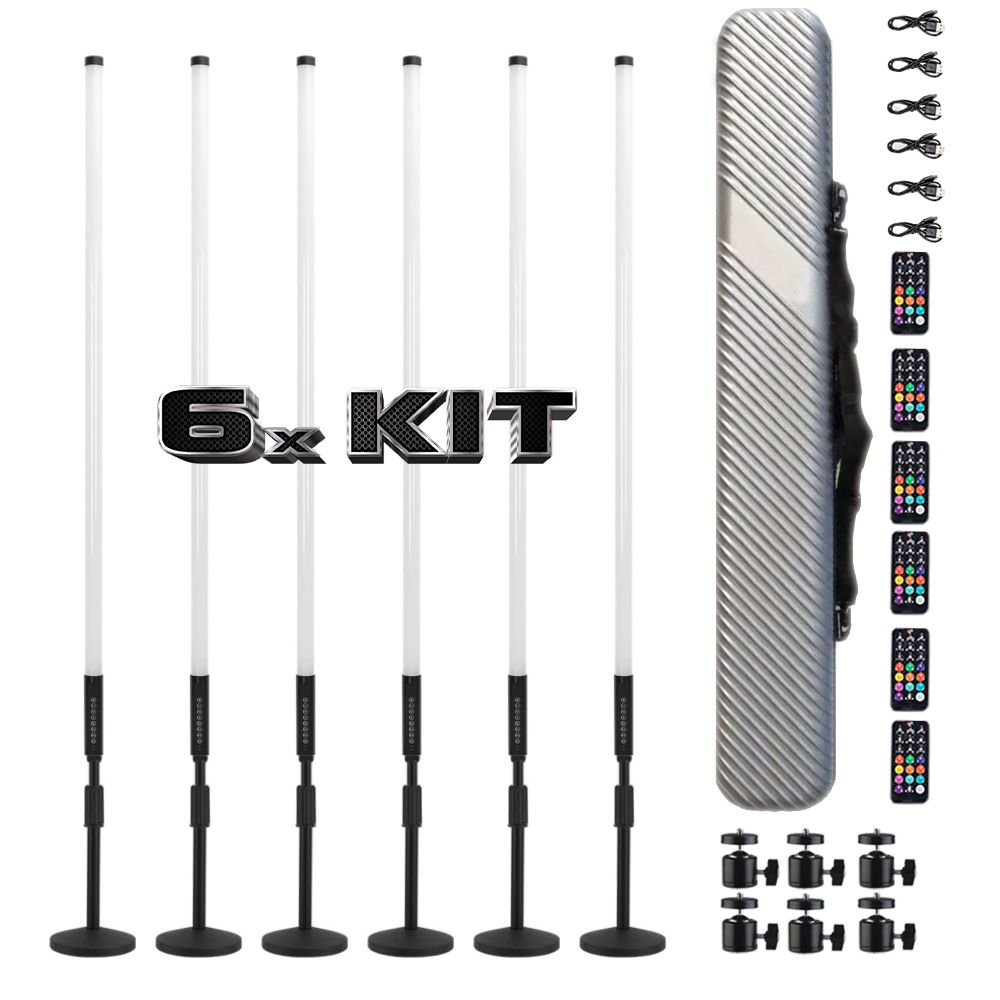
RGBW wireless LED tubes with 500+ fully synchronized reactive animations. Plug-and-play — no DMX controller required. Built for touring DJs, rental companies, and event production. 6 and 12-pack include a heavy-duty hard case.
- 4ft (120cm) RGBW wireless LED tubes
- 500+ sound-reactive animations, beat-sync
- App control + onboard button control
- USB-C rechargeable, high-capacity battery
- CRI 90 · IP54 dust & splash resistant
- Heavy-duty hard carry case included
- 2-year warranty
Secure checkout via Shopify
Ships within 1–2 business days
Features
Built to Perform
Sound Reactive
500+ built-in animations sync to the beat in real time. No programming, no soundboard tap.
Fully Wireless
RF link syncs every tube simultaneously. No cables between fixtures, no signal loss.
App + Button Control
Swap animations from your phone or cycle presets with the onboard button mid-set.
All-Night Battery
High-capacity USB-C rechargeable cell lasts a full night of use on a single charge.
Built for the Road
IP54 rated, CRI 90+. Designed for truss, floor, and stand mounts — built to tour.
Zero Setup
No DMX controller, no interface, no programming. Power on and start performing.
In the Box
What's Included
- 6 × SFX RGBW wireless LED tubes — 4ft / 120cm
- 6 × Tripod stand
- 6 × USB-C charging cable
- 6 × Wireless remote
- Hard carry case ×1
- Quick-start guide
Common Questions